Redgate SQL Compare
A friend of mine told me that some teams still deploy database schema changes manually - script by script in SSMS. Yes, it feels powerful. You execute a script and immediately see the result. For a moment, you feel like the god of SQL Server.
But it’s time to stop, the risk is too high. Running scripts manually means relying on memory and attention:
- Did you run script 17351 before 36458?
- Did you accidentally skip one?
- Did you run the same script twice?
- Was this script executed in production?
- Or only in staging?
Maybe someone out there has an exceptional memory and can keep track of all this for six months. That person is definitely not me.
And honestly, database deployments shouldn’t depend on anyone’s memory in the first place. All you need is a source control system, Redgate SQL Compare, CI/CD tool and a little time to automate it.
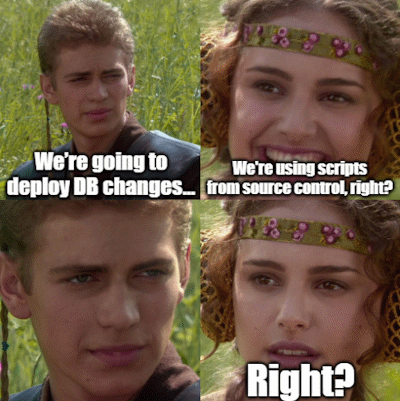 |
You’re using a source control system, right?
Ok, here’s a PowerShell script to execute SQL Compare. Nothing crazy - feel free to use it as-is or adapt it for your automations.
The main idea is to use it to compare the “Release” and “Main” branches. Redgate SQL Compare comes with comparison options - tweak them as necessary, and you’ll get a migration script plus an HTML differences report.
Below is an example of how to execute the PowerShell function:
 1# For PowerShell 7.0+
 2. (Join-Path $PSScriptRoot '..' 'functions.ps1')
 3
 4# For PowerShell 5.1+
 5#. (Join-Path (Join-Path $PSScriptRoot '..') 'functions.ps1')
 6
 7$result = New-DeploymentReport `
 8    -SqlCompareExecutable "${env:ProgramFiles(x86)}\Red Gate\SQL Compare 16\SQLCompare.exe" `
 9    -DatabaseName 'X-Files' `
10    -SourceDirectory 'X:\Confidential\ReleaseBranch' `
11    -TargetDirectory 'X:\Confidential\Main' `
12    -Options 'NoDeploymentLogging,IgnoreSystemNamedConstraintNames,IgnoreUserProperties,
13    IgnoreWhiteSpace,IgnoreWithElementOrder' `
14    -OutputDirectory 'X:\Confidential\RedGateReports'
15
16if (-not $result.Success) {
17    Write-Output 'Comparison failed!' -ForegroundColor Red
18}
19else {
20    Write-Output "Confidential report created at $($result.ReportPath)"
21    Write-Output "Confidential script created at $($result.ScriptPath)"
22}
To run and test it locally, download the 2026-03-08.functions.ps1 script and rename it to functions.ps1. Place both scripts in the same directory, adjust the New-DeploymentReport function parameters as needed, and you’re all set.
The final step is integrating it into your CI/CD system and running the resulting migration script on your database. This step will depend on the tools you’re using. I won’t cover that part here, but this is where you can achieve full automation - not just for database deployments, but for applications and everything else.
Catch you next time!
Disclaimer: I am not affiliated with Redgate Software. The opinions expressed here are my own.